Free Online Video to GIF Converter - No Registration, Fast & Easy
Convert MP4, WebM and other video formats to high-quality GIFs in seconds. Customize frame rate, size, and add text - all for free with no watermarks!
Convert Video to GIF NowThe Best Free Video to GIF Converter Online
If you're an avid social media user, you've surely noticed that some of the most popular memes and shareable content floating around platforms like WeChat, Twitter, and Facebook are in the form of dynamic GIF images. These short, looping animations are perfect for capturing moments, expressing emotions, and creating engaging content that stands out from static images and long videos.
Many people are eager to create their own custom GIFs to share with friends, family, or followers, and the simplest way to do this is to convert existing videos into GIF format. Whether you have a funny clip from a movie, a memorable moment from a personal video, or a highlight from a sports game, turning it into a GIF makes it easy to share and enjoy.
But how exactly do you change a video into a GIF format without expensive software or complicated technical skills? In this comprehensive guide, we'll introduce you to the best free online tool for the job: the GIF-making feature on the gifmake.top website. This powerful yet user-friendly tool is designed for both beginners and experienced users, and it definitely won't disappoint you with its ease of use and high-quality output.
Introduction to the Video-to-GIF Tool on gifmake.top
gifmake.top is a comprehensive online software packed with multiple GIF-making functions that cater to all your GIF creation needs. Unlike many other online tools that offer limited functionality or require payment for key features, gifmake.top provides a full suite of tools completely free of charge, with no registration required and no watermarks on your final GIFs.
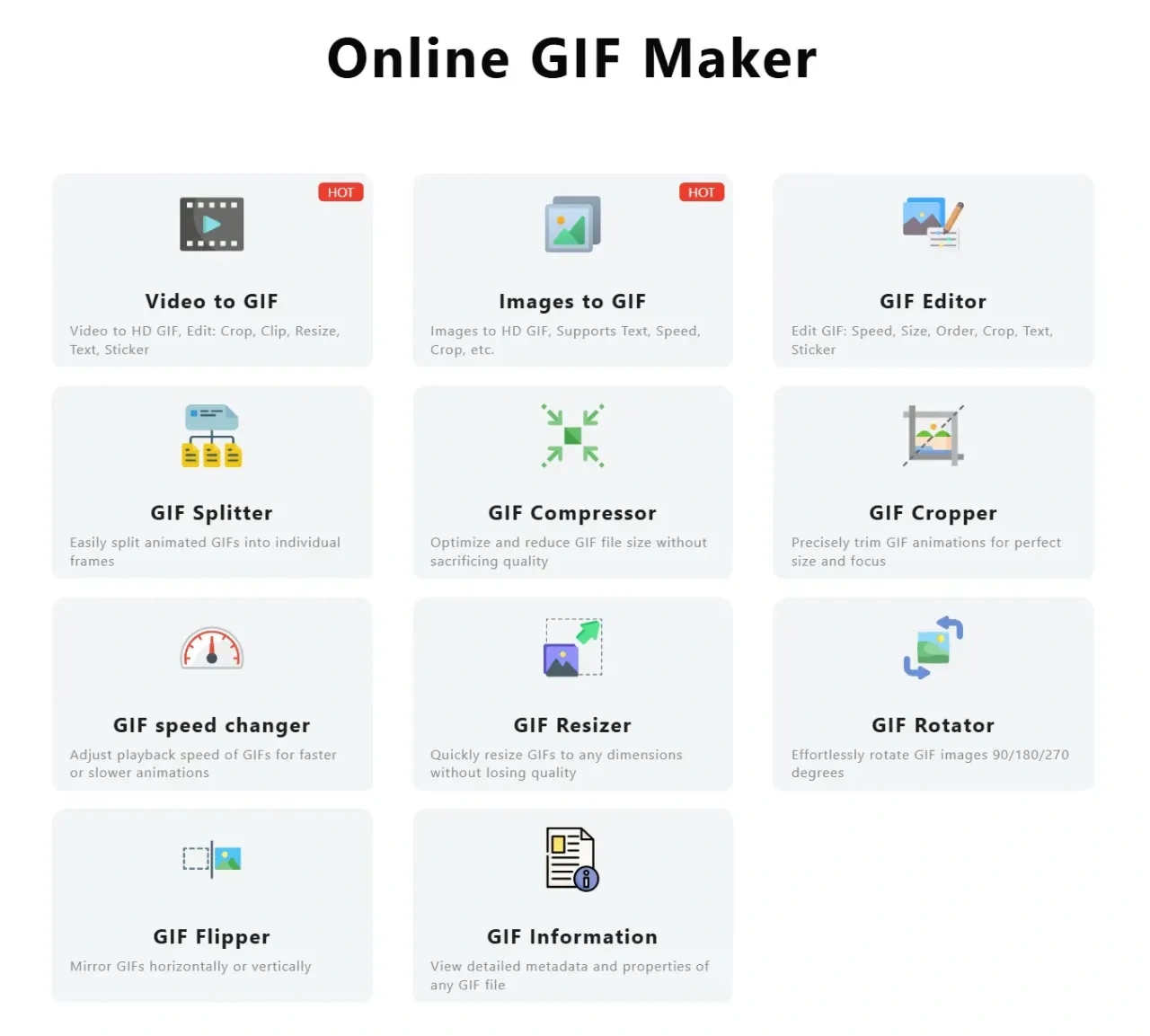
The platform supports various essential features, including:
- Combining multiple images into a single animated GIF
- Converting videos of all popular formats to GIF (MP4, WebM, AVI, MOV, and more)
- Advanced GIF editing tools for customizing your animations
- Precise GIF cropping to focus on the most important part of your video
- GIF compression to reduce file size without losing quality
- Text overlay to add captions, quotes, or funny comments to your GIFs
- Frame rate adjustment to control the speed of your animation
- Video trimming to select only the best part of your video for conversion
These functions can fully meet our basic and advanced GIF-making needs. Whether you're aiming to create a simple GIF for personal use or a more sophisticated animated graphic for your social media or professional projects, this software can help you achieve your goal without any technical expertise.
For beginners who don't want to grapple with overly complex operations, gifmake.top offers a straightforward, intuitive interface that guides you through each step of the process. It clearly addresses the challenges you face, allowing you to effortlessly create high-quality GIF images in just a few clicks.
Step-by-Step Guide to Convert Videos to GIFs
Converting your videos to GIF format with gifmake.top is incredibly simple, even if you have no prior experience with video editing or GIF creation. Follow these easy steps to create your perfect GIF in minutes:
Access the Video to GIF Tool
First, open your preferred web browser (Chrome, Firefox, Safari, Edge - all are supported) and go to the official website: https://gifmake.top/. Once on the homepage, click to select the "Video to GIF" function page from the main navigation menu. The tool works on all devices, including desktops, laptops, tablets, and even mobile phones.
Upload Your Video File
Click the "Choose File" button to select your video file from your device, or simply drag and drop the video file onto the operation interface for even faster uploading. The gifmake.top Video-to-GIF software supports all major video formats, including MP4, WebM, AVI, MOV, FLV, and WMV, so you don't need to convert your video to a specific format first.
There's no file size limit for free users, and upload speeds are optimized to handle even large video files quickly.
Customize Your GIF Settings
After uploading the video, you'll see a range of customization options to perfect your GIF:
- Select start and end times to trim your video to the exact segment you want
- Adjust the screenshot frame rate (from 5 to 30 FPS) to control animation smoothness
- Modify the speed of the animated GIF (slow down or speed up)
- Crop the image to focus on specific parts or adjust dimensions
- Set the quality and file size balance (higher quality = larger file)
- Add custom text with adjustable font, size, color, and position
Choose the functions according to your specific needs - you can keep it simple with default settings or get creative with advanced options.
Convert Your Video to GIF
Once you're happy with your settings, click the "Convert to GIF" button and let the tool do the work. With just a few simple steps, you can transform any exciting MP4, WebM, or other video format into a dynamic GIF image. This process is easy, convenient, and incredibly fast - most conversions take less than 30 seconds, even for longer video clips.
The tool processes your video on secure servers, so you don't need to worry about using up your device's processing power or storage space.
Download Your Custom GIF
Finally, once the conversion is complete, you'll see a preview of your GIF and a "Download GIF" button. Simply click the button to save the converted GIF to your device. You can also preview the GIF before downloading to make sure it's exactly what you want - if not, you can go back and adjust your settings.
That's it! You've successfully created a high-quality GIF from your video with no technical skills required. Isn't it incredibly simple? Give it a try and create your first GIF today!
Frequently Asked Questions (FAQ)
Is gifmake.top really free to use?
Yes! All features of the video to GIF converter on gifmake.top are completely free to use with no hidden charges, subscription fees, or paywalls. We don't require registration, and there are no limits on the number of GIFs you can create or the file size of your videos.
Do you add watermarks to the converted GIFs?
No, we never add watermarks to any GIFs created with our tool. Your final GIF will be completely clean and ready to use for any purpose - personal, professional, or commercial.
What video formats are supported?
We support all major video formats including MP4, WebM, AVI, MOV, FLV, WMV, MKV, and more. If you have a video in a less common format, we recommend converting it to MP4 first (using a free converter) for the best results.
Can I use the tool on my mobile phone?
Absolutely! gifmake.top is fully optimized for mobile devices (both iOS and Android). You can upload videos from your phone's camera roll, customize your GIF settings, and download the final product directly to your device - all from your mobile browser with no app download required.
How long do you store my videos and GIFs?
We take privacy seriously. All uploaded videos and converted GIFs are automatically deleted from our servers after 24 hours. We never share your content with third parties, and we don't use your videos or GIFs for any purpose other than processing your conversion request.
Can I adjust the quality and file size of my GIF?
Yes! Our tool allows you to balance between GIF quality and file size. Lower quality settings will create smaller files that are better for sharing on social media, while higher quality settings are perfect for professional use where image clarity is important. You can preview the quality before downloading to find the perfect balance for your needs.
Start Creating Amazing GIFs Today
In conclusion, converting videos to GIF format doesn't have to be complicated or expensive. With gifmake.top, you have access to a powerful, free, and user-friendly tool that makes creating high-quality GIFs easier than ever before.
We've introduced you to a professional and fully-featured software that excels in every aspect of GIF creation - from simple video conversion to advanced editing and customization. Whether you're creating GIFs for personal use, social media, or professional projects, gifmake.top has all the features you need to create perfect animations every time.
We've also provided you with detailed, step-by-step instructions for creating GIFs from your videos. Now that you're fully equipped with this information, there's no reason not to start creating your own custom GIFs today. Whether you want to capture funny moments, share highlights, or create engaging content for your audience, gifmake.top makes the process fast, easy, and enjoyable.