Effortlessly Create Stunning Animated GIFs for Free
Unleash your creativity and replace lengthy text with high-quality GIFs! Make custom animations from images, videos, add text, effects and stickers - no registration required.
Create Animated GIFs NowWhy Create Custom GIF Animations?
GIFs have become an essential part of online communication - whether you're browsing the web, using chat apps like WeChat, or scrolling through social media platforms, animated GIFs are everywhere. They're a fun, concise way to express creativity, personality, emotions, and even feedback without relying on long blocks of text. Unlike static images, GIFs capture attention, convey messages quickly, and make your content more engaging and shareable.
Creating animated GIFs is also a powerful way to grab your audience's attention in a crowded digital space. Whether you're making memes for friends, creating social media content for your brand, designing engaging ads, or sharing memorable moments from your life, custom GIFs stand out and make a lasting impression. With gifmake.top's free online GIF creator, you don't need any design experience or expensive software to make professional-looking animated GIFs - it's all accessible right in your web browser.
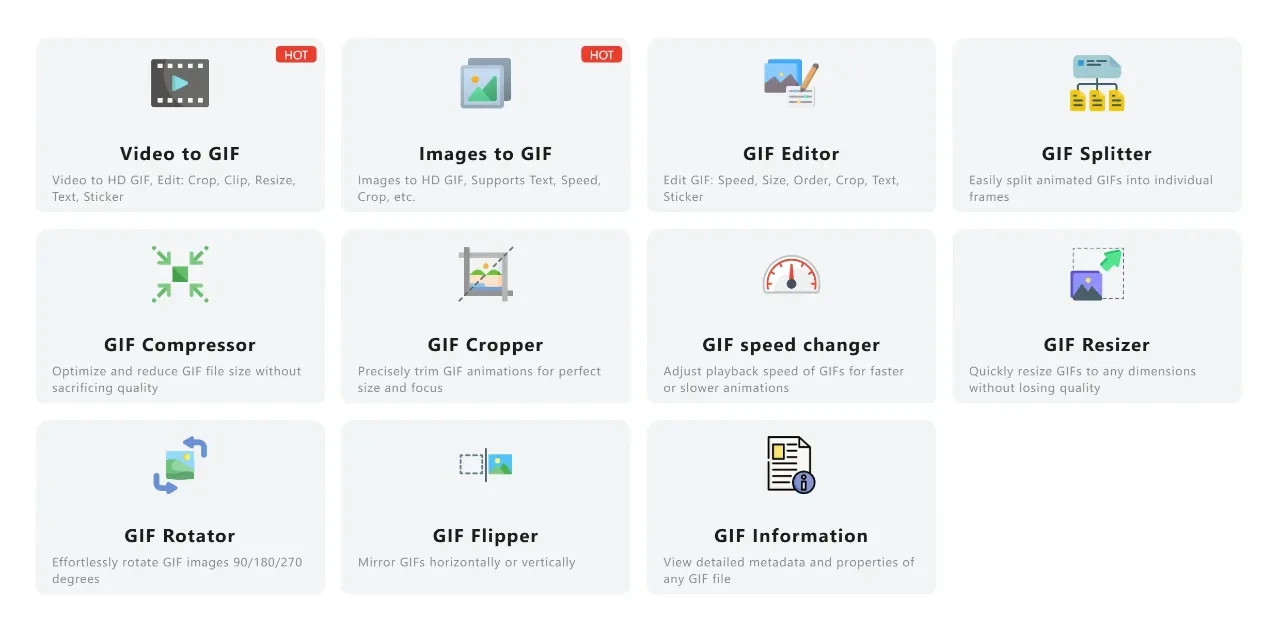
Using gifmake.top's free online GIF creator, you can easily generate high-quality GIFs from both videos and images, expressing your ideas with short, engaging animated clips that resonate with your audience. Whether you're a casual user looking to make fun memes or a business owner creating marketing content, our tool has everything you need to bring your ideas to life in GIF format.
Create Professional GIFs from Images and Videos
Our versatile GIF creator allows you to make animated GIFs from two primary sources: your existing image collections or video files. This flexibility means you can repurpose your favorite photos, design assets, or video clips into shareable GIFs that capture exactly what you want to communicate. Join in the fun and use gifmake.top's free GIF creator to transform your media into eye-catching animations!
The process is simple: upload your image or video files to our intuitive editor, then customize your creation with text overlays, fun stickers, pre-made templates, or creative effects. You can even animate elements, apply cool filters and borders, and let your imagination run wild with our extensive set of design tools. Once your masterpiece is complete, download it as a high-quality GIF file and share it with the world - or publish it directly to your favorite social media apps for instant engagement.
Step-by-Step Guide to Making an Animated GIF
Start Your gifmake.top Journey
The best part about our GIF creator is that no account is required to get started. You can create stunning GIFs online through your web browser immediately, with no downloads, installations, or registration steps. However, if you wish to save your projects and edit your GIF images and video designs later, you can log in or register for a free gifmake.top account using your WeChat account or mobile number - it's quick, easy, and gives you access to additional project-saving features.
Craft Your Custom Design
You have complete creative control over your GIF creation. Start from scratch with a blank canvas or browse gifmake.top's extensive library of professionally designed templates to jumpstart your project. Our GIF creator excels at converting video files to GIFs too - simply upload a video clip, trim it to the perfect length, and customize it to your liking. This feature is perfect for capturing specific moments from longer videos and turning them into shareable GIFs.
Explore Powerful Customization Features
Take your GIF to the next level with our wide range of editing tools. Add text to your GIF with customizable fonts, sizes, and colors, experiment with different border styles to frame your animation, and apply eye-catching special effects that make your GIF stand out. Our intuitive controls make it easy to adjust every aspect of your animation, even if you have no prior design experience.
Download and Share Your Creation
When you're satisfied with your design layout, simply click the download button in the top right corner of the editor, select the GIF format, and save your entire design to your device. You can also publish your GIF directly to social media apps to share with friends, family, or your audience instantly. Our high-quality export ensures your GIF looks great on any platform, from mobile chat apps to desktop websites.
Use our video-to-GIF tool to capture memorable moments from funny clips, popular TV shows, movie scenes, or your personal video footage. Simply upload the video to the editor, trim the clip to focus on the perfect moment, and then customize your upcoming GIF by adding captions, illustrations, or animation effects. Finally, download the converted video as a high-quality GIF and choose the optimal format for your needs. Who knows - your creation might become the next viral reaction GIF that everyone is sharing!
Stand Out with Eye-Catching Animation Effects
With gifmake.top's advanced animation features, you can make every element in your custom videos or images come alive, adding fun and personality to your design while attracting more attention from your audience. Highlight your core ideas with eye-catching dynamic effects that make your design flicker, pop, slide across the screen, or fade in and out smoothly.
Our animation library includes both free and premium effects that add unique charm to your GIFs. Whether you want subtle movements that enhance your content without distracting from it, or bold, attention-grabbing animations that make your GIF impossible to ignore, our tool has the perfect effects to match your creative vision. Apply animations to text, images, stickers, and other elements to create cohesive, professional-looking GIFs that stand out from the crowd.
Extensive Media Element Library
Our app provides access to a rich library of static stickers, graphic elements, and design assets to enhance your GIF creations. Add decorative borders and professional special effects to your layout, then pair them with animation effects to make your GIF even more appealing and engaging. Our diverse range of design elements and features will help you create the perfect GIF to capture and share memorable moments.
Text customization is another powerful feature of our GIF creator. Use our online editor's text tools to create captions, descriptive text, or funny annotations that complement your animation. Change fonts to match your brand or style, adjust colors to stand out against your background, and animate the text with movement effects to complete your design. Whether you're adding a simple caption or a complex text animation, our tools make it easy to create exactly what you envision.
Effortless Drag-and-Drop Editing
Our user-friendly drag-and-drop interface makes GIF creation accessible to everyone, regardless of technical skill or design experience. Seen an element you like in our library? Simply click and drag it to add it to your layout, then position and resize it perfectly with our intuitive controls. With gifmake.top, your creativity knows no bounds - the only limit is your imagination.
The drag-and-drop functionality extends to all elements of your GIF, including text boxes, stickers, images, and animation effects. This intuitive editing method saves time and frustration, allowing you to focus on your creative vision rather than figuring out complicated tools. Use your custom GIFs as social media images, online ads, email marketing elements, or chat stickers to better engage your audience and convey your message effectively. After completing your design, you can download it directly from the online editor or share it with the world with just one click.
Frequently Asked Questions
Do I need to register to use the GIF creator?
No registration is required to create and download GIFs with our tool. You can use all core features immediately through your web browser. We offer optional free registration if you want to save your projects for later editing, but it's completely optional.
What video and image formats are supported?
We support all major image formats (JPG, PNG, WebP) and video formats (MP4, WebM, AVI, MOV, FLV). Our tool automatically processes these formats, so you don't need to convert your files before uploading.
Are there any limits on the length or size of my GIFs?
For free users, you can create GIFs up to 30 seconds in length with no file size restrictions. We optimize your GIFs for balance between quality and file size, making them perfect for sharing on social media and messaging apps.
Do you add watermarks to created GIFs?
No, we never add watermarks to any GIFs created with our free tool. Your final animated GIF will be completely clean and ready to use for personal, commercial, or social media purposes without any attribution requirements.
Can I use the tool on my mobile device?
Yes! Our GIF creator is fully optimized for both iOS and Android mobile devices. The drag-and-drop interface works seamlessly on touch screens, and you can upload media directly from your phone's camera roll and download finished GIFs to your device.
How long are my uploaded files stored on your servers?
We prioritize user privacy. All uploaded images, videos, and created GIFs are automatically deleted from our secure servers after 24 hours. We never share your content with third parties or use it for any purpose other than processing your GIF creation request.
Start Creating Your Custom GIF Animations Today
gifmake.top's free online GIF creator puts professional animation tools at your fingertips, allowing you to effortlessly transform images and videos into engaging animated GIFs. Whether you're creating fun memes for friends, eye-catching social media content, or professional marketing materials, our intuitive interface and powerful features make the process fast and enjoyable.
With our extensive media library, customizable animation effects, drag-and-drop editing, and high-quality export options, you have everything you need to create GIFs that stand out and capture attention. Best of all, our core features are completely free to use with no registration required and no watermarks on your creations.
Unleash your creative potential today and replace lengthy text with high-quality animated GIFs that communicate your message effectively and memorably. Whether you're a complete beginner or an experienced content creator, gifmake.top makes GIF creation accessible to everyone.