Free Online Video to GIF Converter
Convert any video to high-quality animated GIFs in seconds. No registration required. Easy to use, fast, and completely free.
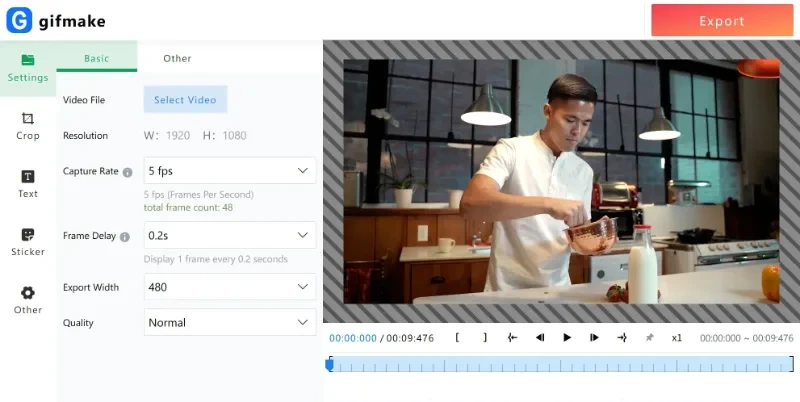
Convert any video to high-quality animated GIFs in seconds. No registration required. Easy to use, fast, and completely free.

Our advanced image processing technology ensures minimal quality loss during conversion, resulting in high-definition, detailed GIFs.

Precisely set frame interval, playback speed, loop count, output resolution, and quality to match your exact requirements.

Trim video sections, crop frames, add text and stickers, upload custom images/shapes, and use keyboard shortcuts for efficient editing.

Preview your GIF animation at every step of the editing process to ensure smooth playback and make timely adjustments.

Our online tool works directly in your browser without any software downloads. It's lightweight and doesn't take up local storage space.

Your privacy is our top priority. All uploaded files are automatically deleted after 24 hours, ensuring your data remains safe.
Our Video to GIF converter offers rich editing options including frame rate adjustment, image sequence control, export size, and animation quality. Customize your GIF's playback speed and style according to personal preferences or project requirements.
Try it Now
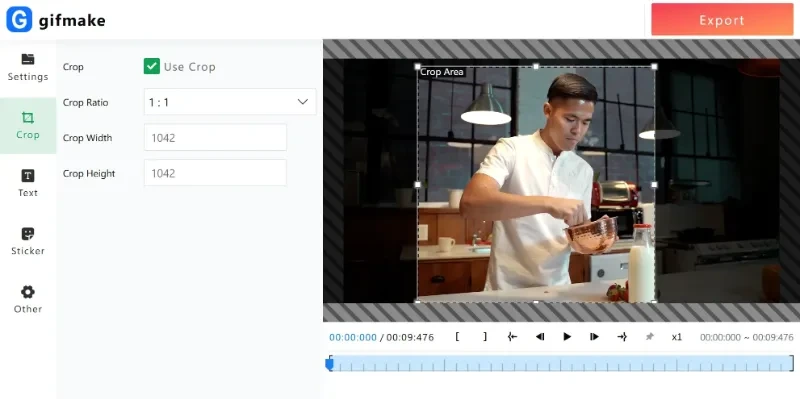
Our free cropping tool allows you to precisely adjust your GIF frames, removing unwanted elements and focusing only on the most important parts—no complicated operations, no software downloads needed!
Start CroppingEasily add text and captions to your GIFs to enhance communication and express creativity. Choose from multiple fonts, colors, and animation effects to make your text blend perfectly with the visuals.
Add Text to GIFs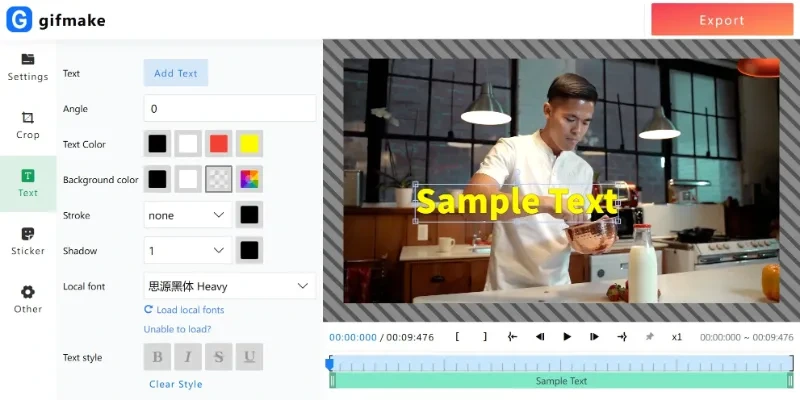
We support all major video formats including MP4, MOV, and WEBM. If you have a different format, we recommend converting it to MP4 first using our video transcoding tool.
Conversion time depends on the video length and size, but most conversions complete within seconds. Our servers are optimized for fast processing to ensure you get your GIF quickly.
All users can create GIFs with up to 200 frames. For longer videos, we recommend trimming the video to the most important segments.
Yes, our Video to GIF converter is 100% free to use with no hidden costs.
We take your privacy seriously. All uploaded files are automatically deleted from our servers after 24 hours. We do not store or share any of your personal information or files with third parties.
Absolutely! Our tool supports 1080P HD GIF creation. You can choose the output resolution and quality to ensure your GIFs look perfect for any use case.
Using our Video to GIF converter is easy:
Yes, our tool also allows you to edit existing GIFs. You can crop, add text, adjust speed, and make other modifications to any GIF file.
Our tool works in all modern browsers including Chrome, Firefox, Safari, and Edge. For the best experience, we recommend using the latest version of Google Chrome.
If you experience any issues with the conversion, try refreshing the page and uploading your video again. If the problem persists, ensure your video file is not corrupted and is within our size limits. You can also contact our support team for assistance.