Turn Multiple Images into Animated GIFs
Free online tool to create high-quality GIFs from your images. Customize settings, crop frames, and add text overlays with ease.
Start Creating GIFs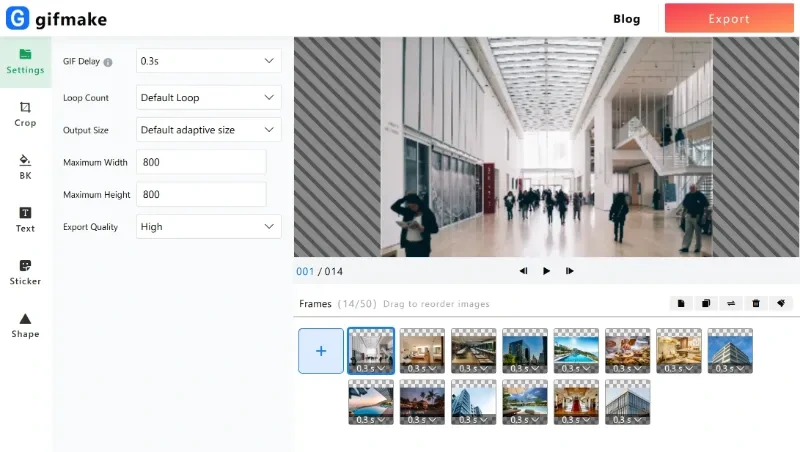
Free online tool to create high-quality GIFs from your images. Customize settings, crop frames, and add text overlays with ease.
Start Creating GIFs
Create 1080P HD GIFs with minimal quality loss using advanced processing techniques.
Adjust frame delay, loop count, resolution, and quality to get the perfect GIF.
Crop your GIF to any size or use preset ratios like 1:1, 3:4, or 9:16.
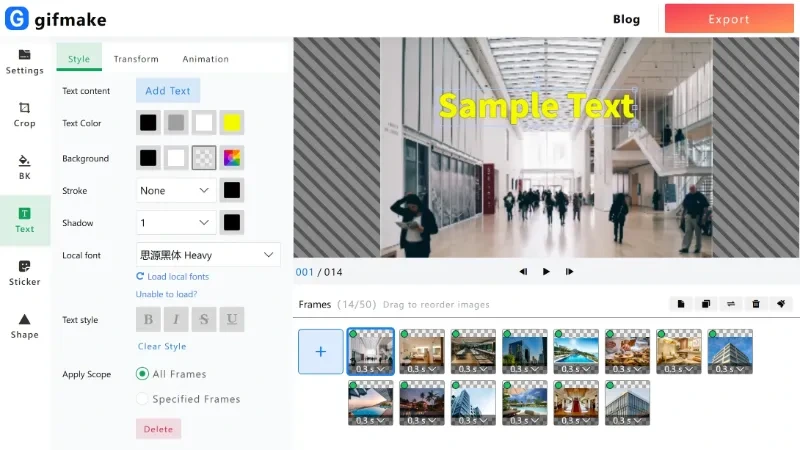
Overlay text with custom fonts, colors, and animation effects to your GIFs.
Reorder frames and adjust individual frame delays for precise animation control.
No downloads required - create GIFs directly in your browser with fast processing.
Our advanced processing technology ensures that your GIFs maintain high quality throughout the conversion process. Whether you're creating GIFs for social media, presentations, or personal use, we deliver crisp, clear results every time.
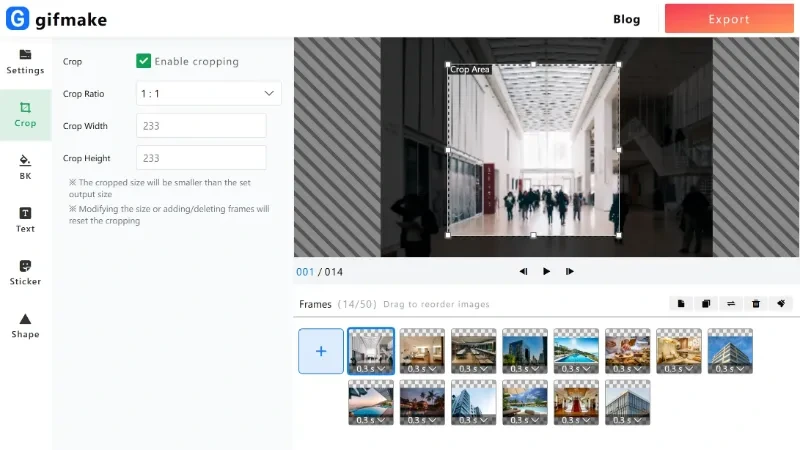
Customize your GIFs with our easy-to-use editing tools. Crop frames to focus on the most important parts, adjust the aspect ratio for different platforms, and fine-tune every detail of your animation.
Make your GIFs more engaging by adding text overlays. Choose from a variety of fonts, colors, and styles to create the perfect caption or message for your animation.
You can upload up to 200 images to create a single GIF. For best results, we recommend optimizing your images before uploading.
We support all major image formats including JPG, PNG, BMP, and WebP. High-quality PNG images with transparency are also supported.
Yes! Simply upload a single GIF file, and our tool will automatically split it into individual frames that you can edit or download.
Each image can be up to 10MB in size, and the total upload size is limited to 200MB. Larger files may take longer to process.
Processing time depends on the number of images and their size. Most GIFs are created within a few seconds to a minute.
Yes! Our Image to GIF converter is 100% free to use with no hidden costs or limitations.
We take your privacy seriously. All uploaded files are automatically deleted from our servers after processing, and we never store your images or GIFs.
Yes, you own the rights to the GIFs you create. You can use them for personal or commercial purposes without any restrictions.
Start turning your images into animated GIFs today. It's free, fast, and easy to use.
Create Your First GIF